Dear Stefan, you have stated that you have a strong background in educational instruction. What kind of success or lack of success have you had with Dyslexic’s? Please be through in your reply. Thank you for your attention to this issue.
My answer:
I don’t remember off the top of my head if I have taught dyslexics how to code … to be honest. But with modern code editors, and an understanding that coding is much more about conceptual execution rather than writing actual code, though you MIGHT have a hump to contend with early on, as you progress, it gets much easier.
Developer / coder tools
Modern IDE’s (sophisticated software that writes much of the code for you) and even simple code editors, take care of a lot of the heavy lifting, when it comes to writing code … especially when you get into the Ai assisted code editors that are out there. So being able to type quickly, which many beginners think is a huge part about being a coder, is rendered nearly moot.
Again, when it comes to professional development, the challenge is conceptual and structure … not so much the actually coding.
Stef
I mentor people to become amazing coders/developers: unclestef.com
This is a question I was wondering about, so I did my research.
This is why there are huge worker shortages in 2022, and probably in 2023:
COVID. Many died, and many are still suffering long term problems. So, in both cases, they no longer can work.
Boomer Bust! Many boomers are retiring, while many others are starting their own business … like becoming freelance web designers.
Immigration disruptions. Apparently immigration make up 5% of the global workforce. Covid lockdowns shut that down.
Workers are changing jobs for flexibility and higher pay.
Technology skills gap. According to a recent study, 87% of employers say that they are struggling with skills gap issues and/or expect to … within just a few years.
My comments:
We are either in, or will be in a recession soon. But it is a strange recession, where the above dynamics mean that highly trained people will be able to find great jobs. So the best thing you can do now is up your skills, make professional connections, and try to be someone that makes other peoples lives easier.
Tech skills
There is still a huge (and growing) shortage of tech professionals (developers, coders etc …) and it makes sense to learn these skills to maximize your income. From my experience, people who transition into a tech career, can see their incomes easily double from their current non-tech jobs.
… And when you do, save and invest your excess income for a few years to extricate yourself from the rat-race.
In full disclosure, I teach people how to become highly valuable coders, developers and tech professionals in my bootcamp / mentoring program.
I’m wondering what a person should charge for an ecommerce website integration project?
I’m trying to help someone with a rental business go from a generic form ordering on their site, to a professional shopping cart that works with rentals.
I’ve researched lots of options, and I can see I can figure out a solution with shopify, square, or some online booking software.
My question is regarding price. I know my bottleneck is going to be customizing a new site, or customizing a store site to match their old site. I’m wondering if you have any general suggestions on what to charge someone if I just make their site work with some software, or alternatively if I do that and have to custom design a new site or a shopping cart site.
I have thought it’s possible I might have to hire someone else to do site design or customizations, and I wonder if you can recommend anyone I can hire if I’m not able to do this myself.
The simple answer to this (likely) less than simple job:
First thing you do, is figure out whether a 3rd party solution like Shopify, Square etc … can in fact do the job.
Remember the top 3 rules of code: reuse, reuse and reuse. Don’t write code unless you have to.
IF you can’t get a 3rd party solution to work, then you have to build at least part of it from scratch.
When figuring out the answer to #1, you shouldn’t spend too much time on this … unless you are getting paid to figure this out. So, do maybe 15 minutes of research to see if you can use (for example,) Shopify, and then quote the client on that integration cost.
If you follow what I teach in the Complete Freelance course, you should be able to figure out a price that you can safely quote.
If you can’t do some parts of the job, then hire someone who can, and you take care of the aspects that you can do, while managing the project.
Hope that helps!
Stefan
I teach people how to be pro developers. unclestef.com
This is a question I literally get all the time on my YouTube channel: how does someone land their first job as a developer?
The typical problem that people have, is that many jobs require experienced coders. So, how do you get experience if you can’t land your first job?
There is a simple solution:
Do 2-3 FREE freelance mini projects for local small business.
This strategy has two huge benefits:
You get the much needed experience that employers are looking for.
You build up real-world skills by actually writing code for the real world!
When I hire people, I am not very interested in certificates of completion (they are next to worthless,) and even proper certifications are not at the top of my list (although certifications are far better than certificates of completion!) … no, I am looking for actual experience building something real with code.
… A big part of being a developer is being able to communicate with people around you, and that you are able to formulate and execute on a plan. You can only learn this on job … tutorials won’t help you there.
Conclusion:
So if your goal is to land a job as quickly as possible, you have to get your nerd-hands dirty with real project code ASAP. The route I have people take in my mentoring program / bootcamp is the quickest and most effective way to accomplish that goal.
This works for any of the major programming languages, but it is especially easy with web design and development because the opportunities are countless. For the non-nerds out there, that means learning:
HTML5
CSS3
JavaScript
PHP (for freelance)
SQL for database work
.. The above 5 are the ‘killer’ coding languages in 2022.
I just finished my Intro To Python Course at college and finally have been able to watch your videos and here are my comments below. Great videos! I also created a Music GUI in Python for my final project and I will attach the YouTube link below. Any feedback would be greatly appreciated. If not, no worries. I am taking Advanced Python which is a 2 month summer course. I am either going to sign up for your course in the next few weeks or right after the Advanced Python course as it ends in early August. I find this Intro to Python course I just finished was the hardest course I have ever taken and was equivalent to like 4-5 regular college classes for me.
Brant Python Final Music GUI Python:
Fastest Way to Learn Pro Code:
Great to know that most of the learning is on the job. That is why I need a job… I have done one project but need to get a website up and running and just jump in and go for it. I learned so much doing the MUSIC GUI Python project I came up with. Need to get in THE RING. That may be one of your best lines. I love that!!
Freelancer Skill Set is Different:
Sounds like I have a lot to learn to become a freelancer. Good video. Thanks!
Nerds vs Suits:
This sounds like a great song title!! I like how you talk about improving one’s interpersonal skills. I like your line about having self control. I found some of the tutors at the college I was at and some of the other students who were real computer nerds could not explain concepts to me in a way to understand it; meaning describing it in a way that’s not technical. I felt like I was dealing with people who literally are computers and not humans, lol. I feel coming at this as being a musician I have a non technical way of describing the technical things learned and noticed there was a real communication barrier sometimes with the teacher and tutor I would see. I like your videos a lot as you explain things in such a way that anyone can understand.
Escaping Tutorial Hell:
It is nice to know that we will never know 5 percent of what is out there. Concentrating on the fundamentals: I think I am going to write that phrase on a sticky tab and put it on my computer. That gives me a boost of confidence. Thanks!
How to get your first coding job:
Sounds like it is all about the fundamentals. NERD EYES! Love that term!! This is helping me with which direction I want to go. Thanks for this!! Your videos are really helping with direction. I currently feel lost after finishing the Intro to Python Course; where I am going…
PHP Have Messy Code:
Cool video, but I don’t know what PHP is, lol.
Coders Fast with Caution:
Love this video and one of your most unique videos! Sorry to hear about your brain fog.
Coder Life Live-Stream:
I like your Jazz intros a lot to the Live Streams and the ocean views! Sounds like just going for it to get real world skills and or a job whatever it is, is crucial. This is very inspiring.
Enough Skills for job $60k as Developer:
The depth of the skills and ability. Love this quote from you!! I am learning a lot from all of your videos. REAL practical work; Love this line too.
All Web Developers Should Learn:
Very fascinating that it is all about the Strings. I didn’t know this.
What to Learn Along with Code:
I really like how you talk about really finding out what one’s goals are. Sounds like the goal is the foundation that everything else is built upon. I also like how you say degrees aren’t needed. I am running into a lot of people telling me I need the degree and I don’t really agree with them… Great to hear this!! This is my favorite video so far.
How Coders Should Analyze and Solve Problems:
Love the Nirvana Record! Great idea with writing concisely to communicate better.
Can Developers Earn as the Learn:
Very motivating here. I really like when you talk about illusions and you don’t need to know everything. I feel since I am new and after taking this Python College course and getting slammed with theory, I am trying to understand what I am really going to need to know… How it will translate… This video really helps. Nice Miles Davis!! Love the Steely Dan record too!!
Memorization In Coding:
This is good to know and all about understanding concepts like you say. I like this video a lot. I really like how you get into the mental aspects and assuring the viewer everything is ok.
Developers Use Chrome or Brave:
Fascinating, I have never heard of Brave until this video. Very interesting point you make about being a developer knowing the most widely used browsers to code against that. Very interesting!! The 90’s sounded very challenging with all the strategies used to re-code for different browsers.
Are Coding Jobs Hard to Find:
Love the fishing analogy here and was just fishing today, lol. Humbling to hear about the Java developer getting laid off and that it took him a year to find a job. Sounds like time and patience are needed for getting a job. I like that your mentoring program has job searching and helping opportunities.
Using WordPress or just Vanilla:
Excellent video here: Very motivating here to get up a website and have it well laid out. That is a future goal of mine to get a website up and blog and have projects posted. Excited to build a website and start some projects and interview some developers who are also musicians to try and have coding explained in a different kind of way…
Can a Mother Become a Coder:
This makes me feel better that I am 35 and not 50, lol!! I like how you talk about the diversity that is needed in coding, more women needed within the field. Inspiring video here: “A forceful push into a new direction”. Love that line. Thanks. I can see myself as a freelancer but need a lot more experience…
Can 50 Year Olds Code:
I really like this and how you talk about the roadblocks of coding are insecurities. I felt that a lot during Intro to Python. I finished the course and did great but just felt a lack of overall confidence within coding. I need to work on changing my self-talk within coding. I like how you talk about what studies show and being healthy. I find the college I am at, no one really talks about the mental aspect of coding so I am grateful that you do.
Great video! I really love your videos where you look at articles, analyze the article, and then explain everything. Great to know that there are more jobs out there than new coders. Again, nice video. This one really resonates.
Should You Learn Legacy to Code:
Just learned what legacy means, lol, so thanks for this. It is good to know about the fundamentals and concepts and that older code may be where most of the jobs are.
How Important SQL Databases:
Good to know that they are very important and I think this is what I am really going to learn in Advanced Python this semester. I know nothing about this… I like how you explain it as a relational database and the online store databases; storing them in boxes/tables. You have a gift for explaining things so a programming rookie can really understand. DbForge looks amazing!
The 5 Principles of Freelancing:
I really love how you push web work as that is where most of the work is and your videos are geared towards real life and real world situations in programming. I am curious as to how many lines of code are done on an average freelancing project for a client? Many small clients sound amazing and the number 5 sounds great too. This gives me hope as I am usually pretty independent and could see myself doing freelance work. A long way to go but thanks for planting the seed. Sounds like the music business regarding contracts… Although music contracts usually suck, lol.
The 5 Skills of a Web Developer 2022:
This is a great video and communication seems so key. I am wondering if people who aren’t natural coders have an easier time regarding communication. I had a lot of communication blocks talking to some of the coders as they couldn’t communicate. I noticed a lot of the real heavy computer programmers have a very hard time communicating and talking. For our final for Intro to Python most people were in fear of doing a live presentation hence why it was all done online… I like how you talk about the fundamentals when you had a gap in your knowledge regarding understanding the library. I just learned what refactoring is and that book looks awesome!! Design Patterns sound great and I don’t know much about this… Still a rookie… I really love how you put book recommendations in too.
When starting a new creative project one of the first questions you’ll have to answer is what design style you’ll use.
You need to have this pinned down from the early stages because it will influence almost every facet of the process. The design style you use will also impact how your user interacts with the product, which has to be a positive experience.
In the modern world, design styles tend to fall into two major categories:
Flat design
Skeuomorphism
They both have their pros and cons, and their place in the design and real world. The key is to look at the impact of each style and see what your target audience is most likely going to respond to.
We’re going to unpack each design style, its pros and cons, and how it impacts performance and aesthetics that affect the user experience.
What Is Skeuomorphism?
Firstly, let’s look at some definitions so that we understand exactly what the design styles are. Skeuomorphism is the older of the two in the digital design world. You can trace its roots back to the 1980s when the personal computer was starting to become a reality. People like Steve Jobs realized that the general public would need a little help navigating their way around a computer.
With skeuomorphism, the design looks realistic. For example, the icon on the computer desktop for deleting content is a literal trash can. The icon for saving your work was the image of an old floppy disk, which was where you saved your work to. This type of design helped with making the use of a computer seem normal and every day to people who had never used anything like a computer before.
Skeuomorphism also crops up in real-world designs. Think about the fake-wood paneling in car designs or electric kettles that look like the old-fashioned ones that used to sit on the stove.
How Does Flat Design Differ From Skeuomorphism?
Flat design is the opposite of skeuomorphism. Icons became less realistic and flatter. There were no longer any shadows behind icons or text; no more beveled edges reflections or color gradients to mimic reality. The design style was all about being free from clutter and removing anything that was deemed unnecessary to the overall image.
This shift happened rather rapidly in 2007 when both Google and Apple changed their user interfaces on their new smartphone operating system releases—Android and iOS, respectively. Windows followed suit with Windows 8, where suddenly the icons were replaced with far less realistic tiles. It was official. Flat design was now the forerunner in popularity for the digital world.
What This Means For Performance From A UX Perspective
When deciding which one to use, ask yourself these questions:
How New Is Your Concept?
Skeuomorphism was initially used in digital design to help users understand what they needed to do with the software or the device. If the concept of your product is new to the market and there may be a steep learning curve for users, then this kind of design can be a big help.
On the other hand, flat design keeps things simple and can help you to bring the user’s focus to the right place. This can be quite an important part of your design if you’re planning a digital product because screen real estate is pretty small now. These days, most online activity takes place on a smartphone or tablet rather than a computer.
What Is The Purpose Of Your Product?
Anything that needs to simulate the real world will need to be designed using skeuomorphism. Online or digital tools like flight simulators and training programs for medical students need to look as realistic as possible for them to be of any use.
What Generation Does Your Main Target Audience Fall Into?
Anyone born after the mid-1990s essentially doesn’t know life without personal computers, smartphones, tablets, and all manner of digital technology. They are completely comfortable with it, and browsing multiple sites, using various apps, and managing digital documents are second nature to them. This generation generally also expects operating systems to be based on a flat design concept.
If this is your target audience, then you should probably opt for flat design. Although, you could go for a totally retro skeuomorphism look if that suits what your product is about and you can use it as an interesting marketing hook.
On the flip side, anyone born before the 1980s is generally not as comfortable with computers and other technology, meaning that a well-executed skeuomorphism might be the way to go. Older generations can need a bit more help as they try to use new products that are online or use technology.
What Are Your Capabilities?
Execution of your design is always going to be a critical part. Anything that doesn’t gel well with the user will automatically provide a poor experience and put customers off your product. Whichever design style you pick, you need to ensure that it’s well-executed.
Flat design relies heavily on icons being easy to understand. Your user needs to be able to see immediately if an icon does something, and what that is. Users will get frustrated if they can’t tell what they can or should click, or if they need text to explain what an icon does.
Skeuomorphism doesn’t have this problem because the icons resemble things in the real world. However, this design style needs to be executed to perfection. In other words, the reality of the design needs to stand up to user expectations. If the real-world simulation is clunky, doesn’t load quickly enough, or feels too disjointed, the user will look for something else.
Pick A Side
So, there you have it. With a little bit of thought, it should become evident which design style is better suited to your needs—and those of your target audience. In a world where instant gratification is the norm, great performance, a good aesthetic, and a stand-out UX is always the goal.
Meta Title: How Flat Design & Skeuomorphism Impact UX | Killer Sites
Meta Description: Find out how flat design and skeuomorphism differ and what impact they have on aesthetics and performance. Each design style has its own impact on UX.
We are all witnessing a worldwide digital transformation as entire industries introduce new technologies to increase efficiency and create new opportunities. The Metaverse is one of these technologies and it’s designed to bring online interaction of humans to a whole new level.
The Metaverse is a virtual world connected through servers that allow users to experience online communication in a virtual environment.
However, this new digital space will soon become a part of our everyday life, allowing users to conduct business, build virtual properties, and basically create a whole new world from scratch.
Will the entire project have a huge impact on web development practices? Keep reading and let’s check everything out in more detail.
What is the Metaverse Exactly?
In short, the Metaverse is the next step in online communication. It’s a technology that puts online users into a computer-generated environment where they can interact with each other’s avatars and virtual reality characters.
Of course, all communication features such as texting, voice chat, and others are available, but users can now interact directly in virtual reality.
As you can imagine, this technology will bring huge changes to the way the world works. For example, students could get their education in virtual classrooms without leaving their homes.
Moreover, employees will be able to conduct business, upload assets, and share information with colleagues in real-time. There’s no doubt that this technology will completely redefine the way we think about online communication, and web development plays a major role in the process.
The Metaverse is a logical next step in website development as developers keep improving design skills and using new technologies to create a more immersive online experience.
The Metaverse is the first step towards achieving a virtual reality that’s indistinguishable from real life.
Some computer games and simulations have been trying to recreate the real world in a virtual setting for decades, but the lack of computing power and other technologies were blocking progress.
However, the Metaverse is a new platform that combines gaming with other features creating a whole new world of opportunities.
The bottom line is that the Metaverse is more than simple online communication or a gaming platform. It’s practically a copy of the real world that allows multiple industries to combine their efforts to create new worlds where people can simulate reality with incredible accuracy.
The Future of Web Design
Up until now, most people could make a distinction between digital and real-world technologies. Put simply, most web products feel like they can’t be used in the real world.
Another issue with digital technologies is their incredibly fast development. Web designers and developers have to adopt new technologies and trends as soon as possible, or their skills could become outdated in no time.
They should try out and experiment with new technologies early on to be able to create solutions other developers haven’t thought of yet.
Every successful web development company is at the forefront of driving innovation.
Right now, Augmented Reality and Artificial Intelligence are the technologies that have the most investments and advancements. They too will become a part of a Metaverse that will soon combine all existing platforms into one seamless online experience designed to mimic, and in many ways, surpass the real world.
Business Implications of Metaverse Web Development
Once the internet switches to the so-called Web 3.0 model based on the Metaverse, the rules of web development and interaction will change forever.
The transformation will impact every app and website on the internet. However, instead of erasing existing digital products, the Metaverse will improve them by adding new features, leading to a drastic increase in capabilities.
Business websites will become even more relevant than they are today, allowing users to interact with companies in the Metaverse.
With that said, traditional websites as we know them will find their place inside the Metaverse in a new system with changed interaction.
When it comes to web development, web designers will have to update their skills and change their approach to designing digital products. Their primary challenge will be to redesign existing tech stacks in use to create more interactive interfaces and ever-evolving user journeys.
That’s why business owners have to rely on their web developers and allow them to experiment with new methods that will shape the web experience for Metaverse users. Of course, the entire ordeal is extremely costly and risky, but it’s the only way companies can prepare for the future.
The switch from traditional online interaction to the Metaverse will undoubtedly change every industry, especially retail and eCommerce. Businesses that belong to these markets will get much closer to their customers.
Large corporations and leading brands all over the world are already buying virtual real estate and locations for their virtual stores and shops. Contact our friends from this Chicago web design company to get some expert tips on how to prepare your business for the Metaverse.
Web Development Technologies Used In The Metaverse
As mentioned earlier, the Metaverse is a platform where users experience a virtual world in full 3D. It is designed as a simulation where people can interact with each other and the digital world around them is more immersive than ever before. That will lead to a huge increase in the use of 3D content.
Developers will move to tools such as WebVR, WebGL, and WebAR to build the virtual world and engage viewers. However, they will have to find a way to combine 3D with mixed and augmented reality seamlessly.
The Metaverse should be able to allow users to interact with virtual objects the same way they would do in the real world.
Imagine what that means for businesses and brands all over the globe. Instead of holding online product presentations, companies will be able to create virtual products users can interact within a digital-physical space.
The possibilities are virtually endless, and web developers will soon embark on an exciting journey through this new digital landscape.
Using Virtual Reality For User Engagement
When people hear the term Virtual Reality, they imagine an entertainment platform. While VR can be used for entertainment purposes, it offers all kinds of opportunities for business applications as well.
VR is ideal for companies that want to increase the level of interaction with their customers and deliver value. Various industries, including education, healthcare, real estate, and others, are already developing platforms based on virtual reality.
Keep in mind that the first VR headset in the world was released in 2014, so it’s safe to say that the technology is still in its earliest stages. However, with the introduction of the Metaverse, we expect to see a sudden increase in VR technologies that will redefine how the entire internet works.
VR is proven to be one of the most effective platforms for product development and user engagement, as it allows users to experience designs in a virtual environment. Website design will surely follow this trend by introducing new web development methods and projects.
Website Benefits of VR Technology
Companies and websites that adopt VR technologies should expect to get a few important benefits when compared to traditional online platforms.
Here’s a quick overview of the web benefits VR provides:
1. Increased User Engagement
eCommerce platforms and online stores can use VR to engage more users and provide them with a way to experience a product in virtual reality. For example, if a customer wishes to see how they will look in a new pair of sneakers, they can simply “wear” them in virtual reality.
On the other hand, if a tourist wants to find the best location to visit, they can get a taste by visiting any location in VR. Google Maps already provides a street view of most cities around the globe. Well, VR can take that one step further by allowing users to walk down those streets to get a better feeling about the area.
2. Clear View
Even though mobile devices, desktop computers, and current AR technologies allow users to get a 360-degree view of objects and locations through the screen, their view is limited by the size of the screen itself.
VR headsets, on the other hand, provide a much clearer view since there are no screen limitations. As long as users can move their heads around, they can get an unobstructed view of the virtual world.
3. Flexible Product Presentation
Since VR is a full 3D environment, businesses can use it to view product designs from multiple angles. That leads to an endless amount of design opportunities and extensive product testing.
Metaverse is The Future of Web Development
There is no doubt that web development practises are changing faster than ever before. As new technologies such as VR, AR, and MR become available for mass use, 3D web development will replace traditional techniques.
The emphasis will be on creating an immersive experience allowing brands to get closer to their customers than ever before.
Of course, the transition to a virtual environment will be followed by all kinds of difficulties and challenges, but as the technology improves, things will get simpler.
One thing is for sure, we are looking at some exciting times for web development!
Author’s bio Melissa Gray is a freelance writer and an organisational psychologist. Her focus is primarily on marketing and new digital trends across the world. She is also a passionate gamer, with special interest in narrative design. She writes for Digital Strategy One.
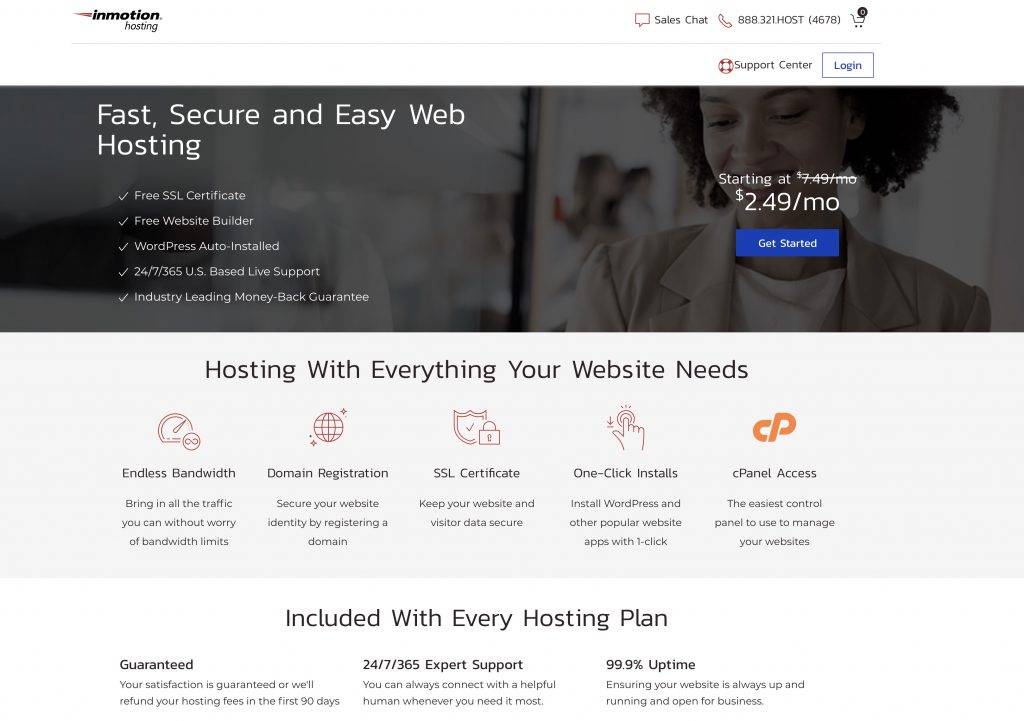
InMotion Hosting wants to help pay for your developer training!
My mentoring program, based on advanced teaching/learning principles, will get you up to speed with professional level coding skills in record time. A typical coding bootcamps can easily cost you $5000, $10,000 and even $20,000! Whereas the most it will cost you to train with me is $799 USD!
… But it get’s even better:
I’ve made a special arrangement with InMotion Hosting, where you just need to buy 1 year of standard hosting ($4.99/month), and you will save $100 off my developer Mentoring program.
How does it work? It’s super easy:
Click on the image below, that takes you to the hosting / course offer page.
Select your hosting and purchase.
Email me directly (stefan at killersites.com) with your confirmation from InMotion Hosting, and I will personally get you signed up to my mentoring program at the special price.
My professional mentoring program is my most comprehensive training package because you get access to:
All my courses
All my certifications
All my new courses
The private mentoring club with exclusive content
Bi-weekly zoom meetings where you can ask questions and get answers.
So with mentoring program, you are getting a top level of support that is almost like having a private tutor.
Programming Courses
My programming courses are the interactive training courses you find on StudioWeb.
These are far more comprehensive than the typical video courses you find on the Web, because you have several unique elements to the StudioWeb coding/programming courses:
Interactive training with instant feedback.
Instant help on a per question/code challenge basis.
Supportive hinting system that guides you as you learn.
Hundreds of short easy to understand videos.
Well over 1000 quiz questions to reinforce the skills.
Real-time tracking of your progress so you know how well you are doing all the time.
Gamification … it’s fun!
With either option, you will be learning job ready skills in the most important coding languages used today: