StudioWeb was designed and refined, to allow teachers with no prior coding knowledge, to be able to teach a classroom with confidence. I can set up a free trial, so you can review StudioWeb. Just let me know.
We provide courses in 3 programming languages:
Python
JavaScript
PHP
The courses are beginner to intermediate level. So we should be able to accommodate the mixed level of students you have in your classroom.
For your Python aware students, you can have them work on the web languages (HTML, CSS and JavaScript) … which will compliment their Python skills. You could also have them do our Python course, because it will likely give them another point of view, regarding Python. I cover some more advanced Python topics in that course, like using modules and object oriented programming.
For your beginners, you can have them either start with Python, then continue into the web languages, as your more advanced Python students have. Or, you can have them start with the web languages:
HTML5
CSS3
JavaScript
… To be able to do JavaScript, students need to know HTML5 and at least some CSS. We cover all of the above.
Cost:
$10 per student per course or $20 per student for all the courses you need. Most go with the $20 option and teach:
HTML5
CSS3
JavaScript
Python
We also have certifications in the above languages at an extra cost of $35/student per certificate. Though we have been providing certification services for schools since 2011.
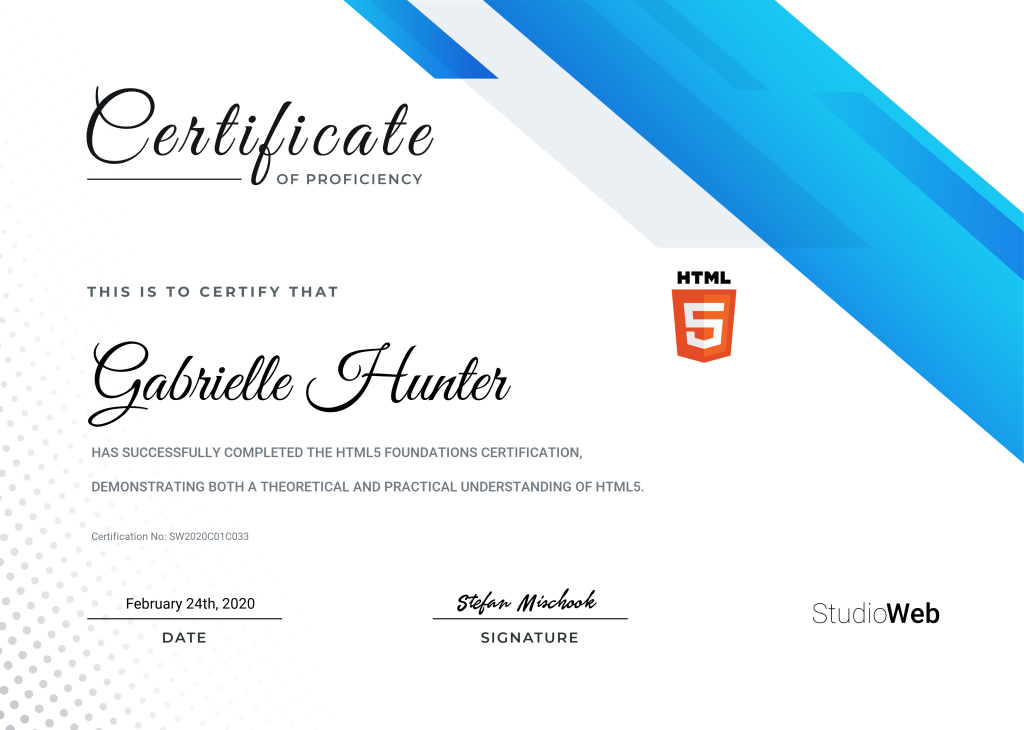
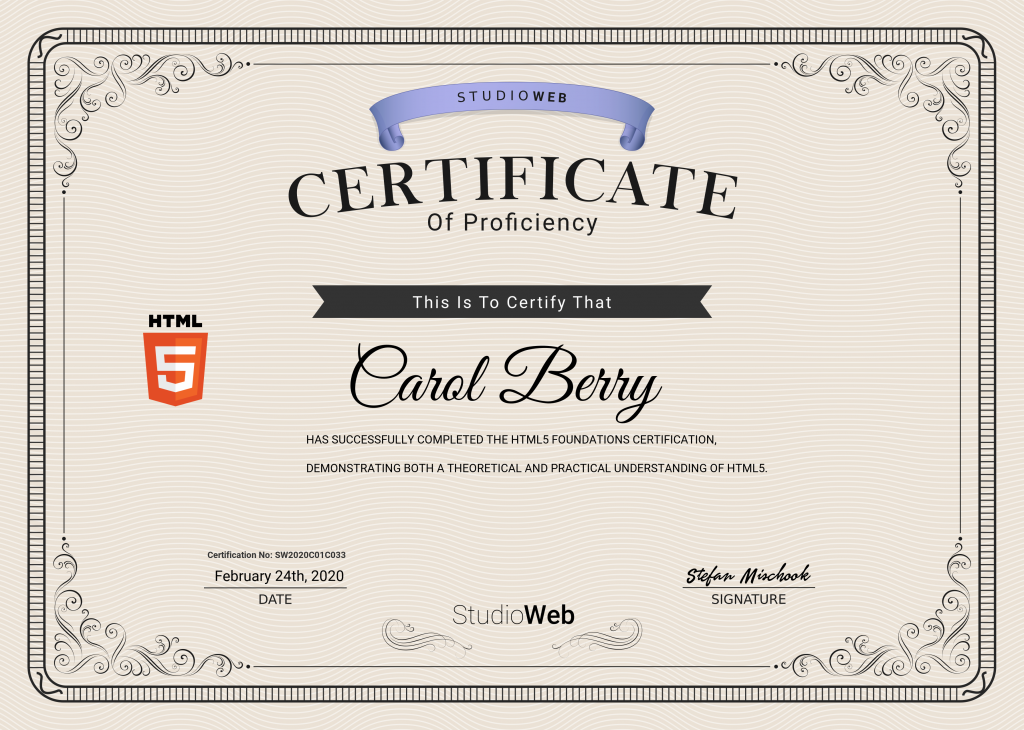
Here are some samples of the printable certification students will earn when they pass a certification exam:
What is the quickest and easiest way to learn React JS? The key is to learn the web fundamentals.
Full transparency here, we’re going to be talking ourselves up a bit and shamelessly plugging our courses, because we got a question that directly references them. Our questioner (questionee?) was wondering if it was easy to jump into React after taking our WebDev (web development) course?
Quick (but not necessarily deep) jump into React:React (also known as React. js or ReactJS) is a JavaScript library for building user interfaces. It is maintained by Facebook and a community of individual developers and companies. React can be used as a base in the development of single-page or mobile applications.
And as for how easy or how much of a ‘shift’ it would be to jump into React after learning with our web development course? “[My WebDev course] …is designed to give deep knowledge that you can use to pivot into many directions. React, of course, is a natural progression because you need to know JS (JavaScript), HTML, CSS, and the web in general: I teach all this and much more”.
This also speaks to something that’s been mentioned a lot on these VLOGS and articles, so much so, that’s it should be considered one of our mantras here: “the key to becoming a great developer quickly is to master the fundamentals. I teach the fundamentals. Painstakingly put in a lot of effort to make my fundamentals courses very, very thorough; you’re going to see that they cover so much more than any tutorial out there could possibly cover, and that’s because of the nature of the courses.” That includes HTML5, CSS3 and of course, JavaScript and once you have those basics down, learning React JS will be easy.
So yeah, we’re blowing our own horn a little, but hey, we put in the work and it’s nice to reap the rewards. The reward being in this case, knowing that this person is going to have an easier time learning something they really want to learn (possibly getting a better job), and that our course(s) helped them!
Check out the VLOG for some more insight and check out our links down below to the courses offered. We want them to work for you so we took the time to do it right. Believe us, we gain nothing as a business if you learn nothing, it’s worth a look! -Enjoy!
What lessons do 25 years of coding impart? Harken younglings! The wisdom drawn from the ancient past.
First things first; Thank you Blizzard for not suing us. This title is really a testament to the enduring warmth of the characters you have created. And wouldn’t it be lovely if a young programmer eventually found their way to work for you because of a this blog…?
Alright, onto the imparting… is everyone still harkening? Great.
1. You will learn much more when you start getting paid to code: So among the new programmers or people just learning to program/code, there’s this idea that you need to show up with a full and infallible knowledge right out of the gate. “That’s why you see people get caught up in all these tutorials, because they’re insecure about their level of skill, so they keep doing more tutorials, more tutorials, more tutorials… Real world coding is about learning as you go -especially in the first 3-5 years as a software developer.” Now just so you don’t think that it’s all hand-holding and singing bible hymns around a campfire, “One of the number one skills of a good developer, by the way, is that they’re able to learn quickly.” So, while you are completely allowed to make mistakes and correct them, depending on where you work, you will be expected to pick up certain skills in an ‘amount’ of time…
2. The best code is simple code: If you’ve been following the VLOG or BLOG, you know that we bring this up every 2 or 3 posts, but it is important. No one cares about your flashy hijinx because, “The best developers write simple code. Why? Because code has to be updated a lot of times, especially in a valuable concept, and if you have complex code then that’s going to be a nightmare to maintain, very expensive to maintain and more prone to to bugs. So strive to write simple code.” Think of it this way, if you came onto project and were asked to update someone else’s work, wouldn’t you want to see simple and easy to read code? Not only is it professional, but think of it as a courtesy…
3. Coding real world apps is an iterative process: No one writes perfect, untouchable code in one sitting. Be prepared to do a few passes. Things change and things need updating. “Every time you do a pass, you refine the quality of the code. So that’s why when you develop your app (alpha), you want to get the whole working app out the door as quickly as possible: fully functional …because that way even if you’ve got parts of it really written badly, having that fully functional app (even if it’s crippled), it gives you insight into what the app ultimately should be.” In the beginning (the alpha stages), you really have only a limited idea of what the project should be, or how it will come together. “When you are writing code, you wanna get from A to Z -get the whole thing functional- then you start refining it, refining it. As you learn about the use case (how the app should be used/structured), then you can start writing more solid code. [The idea being] that with each pass the quality of the software will improve.”
4. Nobody wants to write good docs[documentation], but they should: This should be a ‘no-brainer’, let’s say you’re taking a class, you’ve shown up all semester and done all the in-class assignments. Then the test rolls around and you open your note book to look at your notes and there’s either nothing there or just drawings of sweet-ass guitars on fire, descending from the heavens for you to grab while you’re riding your red dragon into battle…(you know, non-specific stuff, that I totally didn’t draw in high school physics). It’s arguable that you are going to be screwed for the test ahead, and that’s how we feel about documentation. “Good documentation is huge because it will help you remember why you made certain architectural decisions in the code, and will help you transfer the knowledge to the next set of people who might get on the project. So if you have software that’s going to be successful in anyway, you wanna have good documentation -it’s just so important in terms of the quality of the project.”
So there it is young warriors, check out the VLOG where you can get this knowledge straight from the wizard’s mouth, plus more in depth ramblings…ah…epiphanies…yeah… . If you’re interested in learning more, please check out the links down below to our courses in web development, learning Python, or even freelancing, and entrepreneurship. They also make a great gift for that someone on the fence that just needs a little nudge. Fight the good fight and keep that code clean and simple. -Enjoy!
What makes a web app successful? The development process and the realities of real-world coding.
You’ve probably seen or heard a lot of stories about a businesses’ web project (or projects in general) failing. Heck, if you’re a freelancer chances are you’ve witnessed it firsthand! It’s a more common occurrence than you think, especially with small businesses. “…You do all kinds of work, you put out a beautiful website or you put out a beautiful web app, and then you link to it in your portfolio from your own website, and the next thing you know -bing, bing, boom- the client instead of calling you up to try and make updates, they try to tweak it themselves of they hire their kid; they get the kid to come in there and they try to fix it and they mess it up, and in a short period of time the site looks terrible.”
So why does this happen? Well, believe it or not, it doesn’t come from a purely bad place in terms of the intention. That is to say, your client isn’t trying to ‘F#%$’ you or your work, or your livelihood for that matter. It actually (for the most part) comes from a place of ignorance: they just don’t know…anything, really…including how much it actually costs. “A lot of people who jump into the game of building a website or building a web app -any app- they don’t really realize how much work it really is to refine the product, to get it to the point where it’s really ready for market.”
Sound familiar? Here are some pitfalls that have unfortunately cut down many a project in the prime of their lives (and some even before that).
Versions and Iterations: Microsoft has Windows10, so what happened to windows 1-9? Yup, they were previous versions that were replaced by (theoretically, arguably, etc.) newer, better, faster versions. Products and projects must evolve or improve (bugs, glitches, etc.), or the user will simply not want to use it and go somewhere else. Which brings us to our next point
UI and UX: Now depending on the company or client you work for, they might like to lump these two things together but trust us, they are two very different things. UI (user interface) is pretty much the look of things what the user sees: colors, designs, fonts, formatting -the eye candy, so to speak. But UX (user experience) is how easy it is to use, and that is the real draw to a product or project. You could have the most appealing, eye-catching, awe-inspiring design, but if you can use it: if it’s clunky, takes forever to load, or your users just have no idea how to start or where to go to get what they need, it’s useless.
Poor Budget Planning: This last one is almost always the case (especially with getting the ‘kid’ in to do your work). “When a lot of small business owners realize they’re gonna have to invest much more into the project, a lot of them will drop the project in that point in time. I’ve had clients who spend fifty grand, 100 grand on a project, they get it out there and it’s starting to get some traction but they’re not willing to put more into it, so the system kind of sleeps and slowly fades and dies away.”
And on that positive note, check out the VLOG!! It goes into way more detail on these points and uses clear cut examples like MySpace, and Google, and StudioWeb! There’s also a mention of how to bill small companies for your time in case a project does go down in flames, you won’t go into bankruptcy. Speaking of UI and UX, check out our online courses [links below…shameless promo, I know…], as a great example and who knows, ya might even learn something…
Contrary to what the title would suggest, we’re not trying to pit software developers against programmers in an all out brawl to the death in a post-apocalyptic forum for our amusement… *mental note for the end of the world*
No, what we’re presenting here is the subtle and (sometimes) not so subtle differences between the jobs, tasks, and expectations of these careers so that you can know what’s right (or interesting) for you when thinking about which path you may want to take.
We will also mention the role of architect and scriptor but the VLOG itself will go into way more detail about these jobs. Also, be ready for some shameless promotion because this is pretty much our milieu (area of expertise) here, and our courses reflect that.
Before we get started, I just want to point out that we are speaking in generalities, and yes, it’s quite possible that the position in your company or your freelancing gig has you filling different roles. These jobs can be quite fluid and we are only going to speak to what’s generally expected of you in these roles…
“A software developer is someone who is able to create entire systems, while a programmer (can also be a software developer), [but more likely], is someone who just writes code and can write programs. A software developer would develop an entire web app from scratch, would be able to design all the different layers, etc. … A software developer [in a nutshell] is a very experienced programmer… A lot of very experienced programmers never become software developers because they don’t go to that level, they work on very specific things here and there and they don’t develop entire architectures.”
A scriptor is someone who writes very simple lines of programming code. Little bits of Python code to automate software, a lot software out there (video rendering engines, etc) they’ll use Python to control how the software operates (batch operations, etc.), and that’s traditionally someone you would call a scriptor, because they’re writing little scripts (short pieces of code). And there’s a lot of demand for that as well!”
Software architects are quite literally architects of the software. They may not have time to do the task of the software developers, programmers, or scriptors, but they take care of the overall, top-down structure. For example, they could pick the languages, the frameworks, they get into the nitty-gritty with the lead developer, going over the best way to tackle situations/problems. Look, if you’re a software developer, and once a week (or more) you have a meeting with someone who you bring problems to, or someone who points you in certain directions or chooses the very foundational cores from which you work in…chances are they’re the architect.
And here’s the [SHAMELESS PROMO]: The courses we offer, “I think it’s more directed towards making you a [software]developer rather than just a scriptor or a programmer. Because they get into all those big picture issues, I help you understand the choices that you make as a developer (or a programmer), and why and how [for example] does JavaScript fit into this equation, into the stack, what’s it used for… And what I’ve seen, a lot of other course they don’t touch on that. They say here’s some JavaScript, we’re going to create a bouncy game and that’s it! But they don’t show you how to use it in the real world. That to me is super important, so that’s integrated into what I teach.”
So there you have it. Again, the VLOG goes into way more detail, we recommend you check it out. And no matter what you choose to be, check out our courses because they are made to give you the tools to see the bigger picture, which is always good. Believe me, you want to be overqualified for your job, people notice that and usually want to put you in a better position…or just pay you more money. -Enjoy!
Can you still make money as a freelance web designer in 2019-2020?
No clever title today, young devs… We received an email that had so many good, topical questions that we decided we didn’t have time to get ‘cute’ and just wanted to dive right in…
Is freelancing web design still viable in 2019-2020? -More than ever. There is an unprecedented amount of freelancers in North America and the world. “I’m not talking about web programming; just general purpose autonomous people working on their own businesses, whether it be in the tech space or outside of the tech space: this is the trend. …It has jumped quite a bit in the last 10 years and continues to accelerate. All these independent contractors and small business owners if they don’t already have a website, they’re going to need websites.”
Re: Freelancing in AI/Machine Learning: This is big but still in the early stages, I don’t see there being too many freelance jobs in that space -probably lots of work working for people full time- but in terms of AI/machine learning, I don’t see it as a freelancer thing yet. It’s not to say that it won’t be a ‘thing’, it’s just to say that it might take longer for people to come around to it. Like in the way that most companies didn’t even know what a website was in ’95 and now [pretty much] every company has one…
Another thing we’d like to add on the viability of being a freelancer in 2019/20, is “there was a period 4 or 5 years ago (give of take) where people were looking at websites as being less important -better to build your social media presence (like on Facebook or something)- but things have changed, we’ve seen how FB can take people down -they ultimately control your presence on their platform- so smart business owners are starting to realize it’s much better to have your own website, your own space on the web and then have a ‘satellite’ FB presence (Instagram, YouTube, etc…).” Meaning there will be a continued rise in the need for web development professionals (web design, etc).
So there you have it. Now the VLOG goes into a much deeper dive and the answers are much more robust (I mean how much can you really read here in the five minutes you have to drink your coffee while you’re supposed to be working… :] ), you should really check it out. And if it turns out you have 10 minutes instead of 5 for slacking off, check out our courses (especially ‘WEB DEVELOPMENT‘ ) which are not only built from the ground up, but also take advantage of almost 3 decades in the industry! -Enjoy!
How do you get through really boring and/or tedious tasks?
If you’ve been a human on this planet for more than 8 minutes, chances are you’ve come across a tedious task – something that you just didn’t want to do (maybe it’s boring, not your interest, or even expertise) and for some reason, you are being forced to do it. After rolling your eyes, and groaning the groan of a tortured soul, you stare at the task and ask yourself, ‘How the #%$@ am I going to get through this?’
The first and easiest answer is ‘farm it out’, that is hiring/paying someone else to do it. …And after that’s done, you’ll have plenty of time to go yachting off the coast of France, daddy Warbucks! But for those of us that don’t have the money to do that, the answer is a little more pragmatic, but only slightly less painful…
“I just go in there and I say, ‘okay, I’m just gonna do 20 minutes’, …I’m just gonna move the ball 2 or 3 feet forward. And you just discipline yourself to do little chunks of work of the stuff you hate, because if you try to do something you hate doing or you don’t wanna do, and you wait to do it on the last day, and you got hours of this crappy work to do, it’s gonna be painful.” Breaking boring, tedious, or just plain crappy chunks of work up into smaller sections will save you time in the long run and your sanity.
Check out the VLOG, it’s short and sweet. Check out our courses, if you haven’t already and just like eating your aunt’s salted cod and boiled peas dish, take it one bite at a time… -Enjoy!
Is using developer tutorials cheating? Or are they the steps you need to take to move from beginner to advanced developer?
Imitation is the sincerest form of flattery…and in some cases, it’s also the quickest way to a lawsuit. Beginner devs are often cautious (and quite rightly so) when looking at someone else’s work/tutorial and wonder if making something similar is ‘cheating’?
Generally speaking, “it’s not cheating. Everything that you see in this world, whether it be software development, music, martial arts -whatever, it’s all based on other people’s work.” Some would even argue that’s how things evolve and get better; by different people messing around and riffing on the same idea. BUT, let’s clarify that, “if you’re stealing it; line for line, that’s bad -it’s illegal and it’s immoral. But if you’re learning how to do something…it’s not cheating to do a tutorial and then based off of that tutorial, you build your own app.” Of course, please do your due diligence, for example, “unless they give you specific permission to copy the code, don’t copy the code. But you can basically learn from it, and then write your own thing accordingly.”
At the end of the day your code/project will be different because everybody’s needs are different, so your app, project, etc, will be not be a carbon copy unless you want it to be…in which case lawyer up! But everyone had to start out somewhere and they became experienced by using what they saw and adding their own thing to reflect the needs of their client, employer, or the very project they were creating.
The VLOG goes into greater detail and you should check it out. Go out there and create, learn and be better than you were. -Enjoy!
Complex development can linger in production, as you work on the last 5% of the job.
So you’ve got your project, your app – mobile or web, etc. ready to go and you’re almost done, “You’ve got the end and use case defined, meaning people can run through your system, you’ve got the UX defined, you got your UI in place…now at this point you’ve got just 5% left -so you figure, ‘we’re going to crack this thing out in a month…or a week depending on the scope of the thing over all- but what you’re going to find is that last 5% lingers…” Oh yes, ladies and gentleman, like a fart left in the back of an airplane bathroom…it lingers.
Light at the End of the Tunnel To get that crucial 5% working from end to end takes longer than you think and that is just par for the course. “[You’ll] find all these little things: this has to be fixed here, that has to be fixed here…this is normal. Keep that in mind when you’re first getting into the game, especially when you’re dealing with clients, and you’re building their system; you’ve got to account for that last bit of back and forth.”
So there it is my weary devs… Check out the VLOG for the some more insight into ‘the forced march of the last 5%’ and just know that it’s normal and to always account for the back and forth between you and the client when you hit that last 5%… -Enjoy!
Do you need to have had work experience working for someone to become a freelancer?
American poet and playwright Edna St. Vincent Millay is quoted as saying, “I am glad that I paid so little attention to good advice; had I abided by it I might have been saved from some of my most valuable mistakes“. Even though that classy, gangsta quote sounds like something the Dowager Countess of Grantham would say on Downton Abbey, it is super applicable today when we broach the topic of freelancing and previous experience.
On our ‘code-on-the-go’ segment we answer the oft-asked question: should young devs get experience working for a company prior to getting into freelancing? Can a self-taught freelancer get as skillful as a dev who works within a company?
“Short answer is yes – not a problem. I’ve had many of my mentees come right outta school and they start freelancing; working for me as contractors: I start them with little projects and they would build up that way.” We’ve talked about this in past and even dedicated a whole article to it regarding field experience vs. class/book learning, but essentially “…learn your foundations, one or two quick project courses and then what you do is you start asking around local businesses about whether they need a website (if you’re doing web stack), and start with small simple projects…the key is to build your portfolio…yes, self-taught programmers can become just as skillful…”.
Check out the VLOG. Although it’s short I can guarantee you’re going to be illuminated. Also<Shameless Plug> if you’re interested in freelancing but don’t know where to start or you’ve just started and don’t think you’re doing it right, check out our course: ‘The Complete Freelancer‘. We wouldn’t offer it unless we were confident that you could profit from our over 3 decades of experience in the field. Links down below… -Enjoy!