
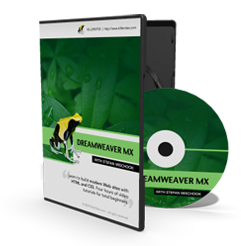

Dreamweaver CS3 Video Tutorials
(Covers CS4 too!)
Though Dreamweaver MX (7-8) was released in 2004, not much in Dreamweaver has changed since that time ... especially when it comes to the basics.
So whether you are learning Dreamweaver MX or Dreamweaver CS3, you should find these videos useful.
This course is designed to teach total beginners Dreamweaver 7 and 8 from the ground up.
- Learn the basics of Dreamweaver 7 and 8 (CS3)
- Start building websites right away!
- Over 4.5 hours of video, this tutorial is a great value!
- Covers the same material taught in $300 classes!
Sample Video Tutorials
-
 Dreamweaver MX Basics: Our first look at Dreamweaver
Running time: 7:19 -
Dreamweaver MX Basics: Dreamweaver's interface
Running time: 7:51 -
Dreamweaver MX Basics: Using CSS to add style
Running time: 10:55 -
Dreamweaver MX Basics: Inserting images and text
Running time: 5:14 -
Dreamweaver MX Basics: Layout a web page using CSS
Running time: 15:40 -
Dreamweaver MX Basics: Panels
Running time: 1:50
What's on the Videos
The Core Lessons
- Introduction
- Downloading Dreamweaver
- Our first look at Dreamweaver
- Dreamweaver's inteface
- Start building a website
- Dreamweaver behind the scenes
- Continue building our website
- Using CSS in our web pages
- Finishing up: some tips
Misc. Lessons
- Web Basics
- Building HTML Tables
- Dreamweaver UI: Panels
- Creating HTML List
- Dreamweaver Library Items: save yourself time
- Dreamweaver's built in FTP: move files to your server
- Collect information from people: Learn HTML Forms
- Link to external style sheets: globally define your sites style
- CSS Rules: The 3 ways to apply CSS to web pages
- CSS Layouts: Learn how to layout your pages with CSS
Get Started Today!
Even though the videos make learning web design easy, we still provide great support if ever a question should arise ... you will not be alone.
Buy ALL the videos for only 19.99!
 Subscribe to RSS


