I’ve been building websites since 1994 and Killersites.com in one of the first websites in the world to teach web design, html, css, javascript … and so much more.
Web Design Continues to Grow!
When social media sites became a thing, people thought websites were dead. When smart phone apps came about, people thought websites were dead. When WordPress became a thing, people said web design was dead!
… They were of course all wrong.
What I will be teaching in 2021?
In a nutshell: practical web design and web business development. I keep up to date with the NEW trends and techniques. Whatever is worthy of your attention, I will cover.
A question that is coming up more and more often, is how can you make an online course (and curriculum) effective?
Though my online teaching experience is with code (HTML5, CSS3, JavaScript, Python, SQL, Java) and business, the principles are universal.
The 4 Key Elements of a great online course:
There are many factors, but first and foremost, you need great teachers. You also need a curriculum designed specifically for online education. This includes bitesized lessons, instant support, heavy use of video, and real-time feedback for the students. There is much more to it, but the above foundational elements are key. Read more.
UPDATED: This AMAZING offer is available until December 2022!
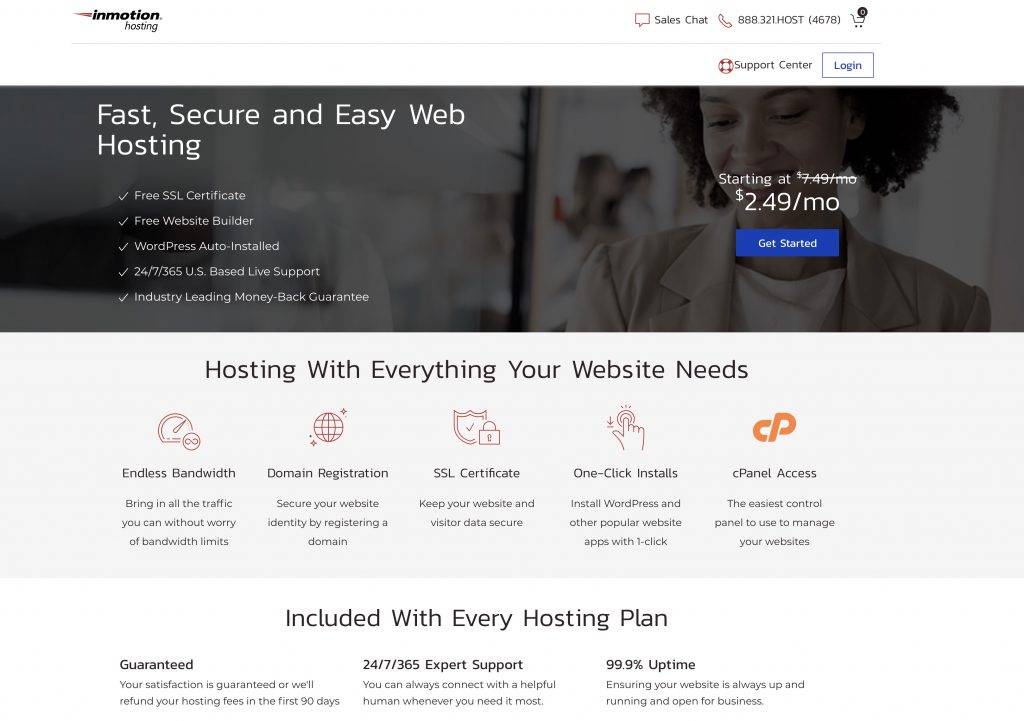
InMotion hosting wants to pay for your web design and development education! Why pay a bootcamp $10,000 – $20,000, when you can get it for free!
I’ve made a special arrangement with them, where you just need to buy 1 year of standard hosting, and they will cover the cost of my Complete Web Developer course!
… A great deal!
How does it work? It’s super easy:
Click on the image below, that takes you to the hosting / course offer page.
Select your hosting and purchase.
Email me directly (stefan at killersites.com) with your confirmation from InMotion Hosting, and I will personally set up your web developer course training accounts!
If I take your mentorship program, I just want to be sure that someone (yourself or a teacher assistant) will answer my questions.
Yes! From me personally.
Regarding the different certification courses that you offer, do you recommend that a mentorship student complete all 5 certifications, or does it depend on the student’s goals?
Depends on your goals. But I will work with you to figure that out. If that makes sense?
Also, approximately how long does it take students to complete one particular certification?
Depends on the student … how quickly you learn etc. The process is to do the courses first, and pass them. Then you do the certification exam that goes with the course.
For example, HTML5 is a smaller subject than say CSS3, so you can see yourself completing the HTML5 is perhaps 1-2 weeks. The CSS3 will be longer … that can take a month or so. It all depends on how much work you put into it etc. That’s why the mentorship last a year.
That said, because of corona, I am extending all mentorships to 14 months … and perhaps more.
If I enroll in the mentorship program, how do I know which course to start with?
You start with HTML5 and go on from there. You can ask me any questions like that!
If I choose the $799 payment method, would we start by having an initial consultation where you decide which course I should take first?
No need to use a consultation for that question – the order of courses to take:
I recently got a great set of questions about my Python course, I figured you would find it very informative:
Can you tell me if your course focuses on:
1_ first principles + fundamentals of programming? What I really want to know is that your course actually teaches principles/fundamentals ( the skills + knowledge that never changes from one language to another ) that I can then apply to learning any new language, in the future. Above is the most important to me as I know companies will require me to learn new languages constantly.
Answer: Yes! My courses are known for this … since it is rare to find a Python course created by a developer with over 20 years experience.
2_ how many real-world projects do you have us tackle so that I can show my knowledge on github for employers to review?
Of course I will also tackle projects myself, but having your course guide us and actually give us the most common real word applications/problems, or the most complex ones that test our skills so that I can then handle any project from easy to very difficult, is SUPER important.
Answer: I have a few mini projects that are designed to teach you principles. Once you have that, there are countless project tutorials online for free that you will easily and quickly do because you will have a great understanding of the #1. Makes sense?
3_ I checked your syllabus, but I see very little projects, can you let me know if your course truly teaches enough to tackle any project thrown at me?Data Science
Answer: My course is not a data science course … it is a Python course. Data science is its’ own thing, and Python is used a lot with it … but so are other languages.
4_ what kind of support do you offer for any issues related to learning the course ? live chat? email questions? or forum questions? and who will be answering these questions?
Answer: You can talk to me! That said, the courses are on StudioWeb, so you get a uniques platform that has built in quizzes and help.
5_ Do you constantly update the course so that we are learning the most important skills that employers seek?
Answer: Courses cover foundations … and so they are up to date. 10 _ Do you offer any resume reviews or at least a template to use that actually gets interviews or job placement assistance?
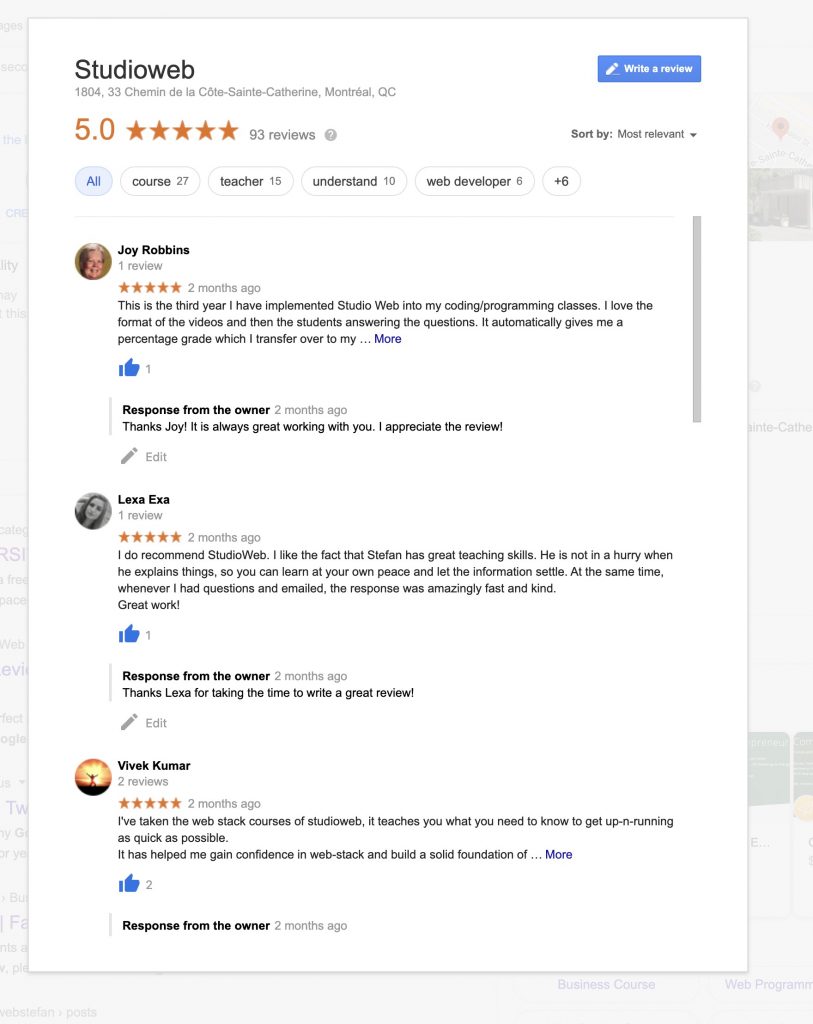
StudioWeb was designed and refined, to allow teachers with no prior coding knowledge, to be able to teach a classroom with confidence. I can set up a free trial, so you can review StudioWeb. Just let me know.
We provide courses in 3 programming languages:
Python
JavaScript
PHP
The courses are beginner to intermediate level. So we should be able to accommodate the mixed level of students you have in your classroom.
For your Python aware students, you can have them work on the web languages (HTML, CSS and JavaScript) … which will compliment their Python skills. You could also have them do our Python course, because it will likely give them another point of view, regarding Python. I cover some more advanced Python topics in that course, like using modules and object oriented programming.
For your beginners, you can have them either start with Python, then continue into the web languages, as your more advanced Python students have. Or, you can have them start with the web languages:
HTML5
CSS3
JavaScript
… To be able to do JavaScript, students need to know HTML5 and at least some CSS. We cover all of the above.
Cost:
$10 per student per course or $20 per student for all the courses you need. Most go with the $20 option and teach:
HTML5
CSS3
JavaScript
Python
We also have certifications in the above languages at an extra cost of $35/student per certificate. Though we have been providing certification services for schools since 2011.
Here are some samples of the printable certification students will earn when they pass a certification exam:
Many a young developer believe that it is crucial that you use the most advance languages and frameworks for your development work, else your apps will be total garbage! If you won’t take our word for it, at least listen to some of regrets of what could be your next employer…
Full transparency: This is mainly for the young ‘nerdling-devs’ who feel like they have something to prove, but it could apply to anyone really…
So, we thought we’d throw out another PSA about how using the most cutting edge tech is not always the best idea. That “language that will make all the difference”, doesn’t necessarily exist. Essentially, that “there is no stack that is universally better than the other [and] that everything is very circumstantial: for certain tasks, certain languages are better.”
But today we thought instead of wearing out the same letters on our writer’s keyboard, we’d try a little negative reinforcement… Today we’re gonna hit you where it hurts: your wallet. Then were show you your potential employers and how they got hurt in the wallet, and why their hurt will always dictate how and what you do (which I would argue then turns into an existential hurt which will forever linger ever so slightly in the back of your mind and weigh down your soul just a little …so bonus negative reinforcement -I win forever- Boom!…Sorry.).
It comes down to this, whatever new tech you think is soooo cool, and you want immerse yourself in, do that on your own time. The companies that you work for or will freelance your time out to will not use it. They will use either OLD (read: tried and true) tech or something that they have invested thousands or millions into and are not going to give up. You wanna make money: learn to use their tech. Period.
Still on the fence? “One of the advantages nobody points out is that old technology can mean job security, or job opportunity. If all the young hipster nerdlings are jumping into some brand new cutting edge tech, a lot of the times, there’s not too many jobs in that.” Whereas if a company invested a lot of money running their business on an older language, there’s probably not a lot of programmers out there anymore for it, and that would be an abundance for you!
Still not convinced? Alright, hail-mary throw: “I am very reluctant to adopt any new technology, just like any other business is…and the reason they’re very reluctant to adopt a new technology is not because they’re ‘old school’, or they’re dumb, or because they don’t see the advantage… It’s because they look at the broader picture [what you should do as a developer]. The broader picture is that you don’t want to find yourself using a stack that never really catches on fire; that never really takes off. Imagine if you spend 50 grand, 100 grand, a million building an application, and your business depends on that application, using some cutting edge tech and you find out 4 years later that nobody wants to use it anymore. Happens all the time… And then you’re stuck: cuz good luck trying to find new people [programmers], and if you find people they’re going to charge you an arm and a leg… and you’ve got this investment in this technology and you’re stuck: you have to rewrite from scratch, or you have to pay through the nose to find people. …Even worse is if the technology doesn’t take off, you may find yourself with an abandoned technology; and then you’re in big trouble!”
So there it is, we’re sorry we had to do that you…it was outta love. Check out the VLOG for a way more in depth dive into this. And good news: the newsletter is up! subscribe to get access to stuff you can’t get on YouTube (links down below). -Enjoy!
Sign up to my Need2Nerd Newsletter for exclusive nerd content that everyone loves: https://www.need2nerd.com/
What is the quickest and easiest way to learn React JS? The key is to learn the web fundamentals.
Full transparency here, we’re going to be talking ourselves up a bit and shamelessly plugging our courses, because we got a question that directly references them. Our questioner (questionee?) was wondering if it was easy to jump into React after taking our WebDev (web development) course?
Quick (but not necessarily deep) jump into React:React (also known as React. js or ReactJS) is a JavaScript library for building user interfaces. It is maintained by Facebook and a community of individual developers and companies. React can be used as a base in the development of single-page or mobile applications.
And as for how easy or how much of a ‘shift’ it would be to jump into React after learning with our web development course? “[My WebDev course] …is designed to give deep knowledge that you can use to pivot into many directions. React, of course, is a natural progression because you need to know JS (JavaScript), HTML, CSS, and the web in general: I teach all this and much more”.
This also speaks to something that’s been mentioned a lot on these VLOGS and articles, so much so, that’s it should be considered one of our mantras here: “the key to becoming a great developer quickly is to master the fundamentals. I teach the fundamentals. Painstakingly put in a lot of effort to make my fundamentals courses very, very thorough; you’re going to see that they cover so much more than any tutorial out there could possibly cover, and that’s because of the nature of the courses.” That includes HTML5, CSS3 and of course, JavaScript and once you have those basics down, learning React JS will be easy.
So yeah, we’re blowing our own horn a little, but hey, we put in the work and it’s nice to reap the rewards. The reward being in this case, knowing that this person is going to have an easier time learning something they really want to learn (possibly getting a better job), and that our course(s) helped them!
Check out the VLOG for some more insight and check out our links down below to the courses offered. We want them to work for you so we took the time to do it right. Believe us, we gain nothing as a business if you learn nothing, it’s worth a look! -Enjoy!
Does learning C++ teach you programming in a more effective way?
There are a lot of things changing out there in the world, but the more it changes…well, the more it stays the same. One of the (arguably) big time, general purpose languages: C++ while still a very usable language in it’s own right, is not necessarily the first choice for teaching programming anymore… Now, in the interest of transparency, “I don’t think that any particular language is necessarily better for teaching than any other language…”, that being said however, “…I would lean towards teaching with a language like a Python, like a JavaScript over a C++, simply because it’s easier to get stuff going [with those languages], meaning it’d be easier to show the students something they can see once they start programming…we’re visual creatures, humans are…”.
Now, if you know the kind of environment we try foster around here, you know we’re not saying that C++ is dead and nothing can be gained by learning it. Quite the opposite, especially if you’re more of a hardcore, ‘devil in the details’ kinda learner. And as far as ‘run’ time (the speed at which the language processes information when completed) vs ‘write’ time (how long it takes to actually program it), “If you write an app in C++ , it’s gonna run circles around Java, JavaScript, PHP, Python, especially Ruby<Boom!>, it’s gonna run circles around all those languages in terms of run time speed, your C++ application is going to be blazing fast! The problem is that by the time you’re done writing your C++ applications, the person who’s writing a similar application in Python or Java, JavaScript, etc, they’ve already moved on to 10 other projects: maybe they’re already tired at this point in time…”.
Now, as much as we say there are no inferior languages out there, we also say that you have to follow what the market dictates (especially as a freelancer), and let us tell you, it’s not looking good for C++ out there. “…The industry moves towards faster write time languages. The speed [run time] advantage that you saw in languages like C++ over the others is becoming a moot point, as computer hardware gets faster and faster, you don’t even see the speed difference in practical application.”
So there it is. Please checkout the VLOG for more info and check out our new newsletter (link below): NEED2NERD. Shameless, we know. Sign up and get exclusive video content that would otherwise not be published on the channel, plus more cool stuff to come! Enjoy!
Sign up to my ‘Need2Nerd‘ Newsletter for exclusive nerd content that everyone loves: https://www.need2nerd.com/
Developers have to choose in-demand languages and leave the nerd-affections for tech behind. Also, learning about Amazon Web Services.
For those of you that thought we were going to talk about the possible alcohol problems you’ll face as a freelancer, and having to stop carrying around a flask of ‘liquid inspiration’ with you at all times… Sorry, that’s not this article (I keep mine loaded with bourbon -it’s a sweet treat with a kick!). No, we’re talking about Python Flask, which is <generally> a web framework that few people use, so ironically, if you decided to base your whole career around Python Flask, you might be hitting the bottle pretty hard… We’re responding to an email we received about a gentleman (cuz he’s in the UK, I guess…) who’s about to finish school, wants to become a freelancer, and is wondering what he should “pick up” as his back-end language. He’s currently using Python Flask and doesn’t think he’ll stick with it as job opportunities in his area are not great. So let’s get down to it:
Follow the Money!: “As one of my mentors used to say, ‘follow the money, Stef!’, this applies to business, this applies to getting a job, this applies to freelancing. You gotta go where the demand is: people have to want to buy what you’re selling. So what you want to do is look at the freelance market and determine what it is people are asking for in terms of when they’re hiring freelancers.” Also, just a note on being a freelance developer, ” …you are not a JavaScript developer, you are not a Node developer, you are not a Java developer; you are a developer… and you happen to use Python for this project, and you happen to use Java for this project, and you happen to NOT use RUBY for that project… .” 🙂
AWS and the NTNB (Need to Nerd Basis): No doubt time is precious and, “…hosting is becoming more and more sophisticated, and there are now third-party hosting solutions that you can use that will be able to deliver not just disk space on their servers but all kinds of utilities and capabilities, and processes that you can leverage in your apps.” Amazon Web Services (AWS) is one of them, so is Microsoft Azure, and even DigitalOcean (full transperancy: We use them), to name a few. And while we’re not going to go into a huge description of the services offered or how to strategically use them (Check out the VLOG, link below), we will say that there are some robust and sophisticated solutions on offer. Do you need to drop everything you’re doing and learn AWS or any of these? The answer is: NO…maybe. “Do you jump into AWS now? No, the first thing you have to do is your foundations, you [gotta] understand basic web app development, and so forth, and then you can look at the solutions.” Also, depending on the client, “AWS: I think those are for larger projects, larger community, or larger organizations because they require more money and are more sophisticated: they may require more setup…”. There are of course, more middle of the road solutions, but this would be a good time to introduce our founding core concept: NEED TO NERD (NTN). At its heart is the idea that you “…learn what you need to learn on a ‘need to nerd basis’ “, which is a play on the ‘need to know’ concept. “People think oh my god, I gotta learn this and I gotta learn that, before I even get a job, and I say no, no, no: you learn what you need to learn on a need to nerd basis: when a project comes up, when you have to implement a certain type of functionality that requires a certain type of technology, then you learn it.” NTN will also be a newsletter that will be going out to you guys with links to videos and we’re thinking that we may even do an accompanying podcast as well (more on that as it unfolds). In the meantime check out the VLOG, (it’s packed with all the explanations and clarifications that this BLOG will surely be lacking, lol). Remember that you are a developer first and not to bog yourself down learning archaic/draconian languages before you even need to. Just take a look out there and go with the flow. -Enjoy!