
Running Windows on your Mac
October 16, 2007
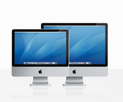
A major question that many Windows users are facing (who are considering the move to a Mac,) is whether or not they will have the choice of software on the Mac, that they have on Windows.
For web designers, this is typically a no-brainer since all the commonly used programs in web design:
- Dreamweaver
- Flash
- Photoshop
… have Mac versions.
That said, there are still some great programs that are simply not made for the Mac.
Runnings Windows on your Mac
Fortunately, there are a few options out there that allow you to run Windows only programs on your Mac. Actually, there are even a couple of options that allow you to run Windows itself on your Mac! This is all made possible because the Mac now runs on the Intel chip (which is the same processor that Windows uses,) so it is much easier to ‘translate’ between Windows and Mac.
Here are the three options you have to run Windows on a Mac:
- Bootcamp: easy dual booting solution.
- Parallels: a virtual machine, more on that later.
- VMware Fusion: another virtual machine.
I’ve used all three options and my favorite thus far has been VMware Fusion … it rocks!
Bootcamp:
This software is made by Apple and essentially makes it easy to set a dual-boot environment on your Mac. So that basically means that the Bootcamp software divides/partitions your hard disk into two blocks – one for your Mac OSX and one for Windows.
Bootcamp also makes it easy to install Windows on your Mac and it provides all the software required for Windows to be able to work with your Mac hardware – the DVD buner, the built in web cam etc …
The only downside is that if you want to switch from Mac OSX to Windows, you have to restart your computer. With virtual machines, you don’t.
In a nutshell, what are Virtual Machines?
A virtual machine is a program that acts as a bridge/translator that acts as a wrapper around (in this case) Windows. Essentially, Windows is installed inside a virtual machine (VMware Fusion for example,) and the virtual machine makes Windows think it is talking directly to the hardware where in fact, VMware is handling all the communication between Windows and the Mac OSX.
So for example, if Windows (inside VMware,) tries to access the DVD player, VMware translates that request and brokers the communication between Windows and Mac.
Installing Windows XP with VMware Fusion
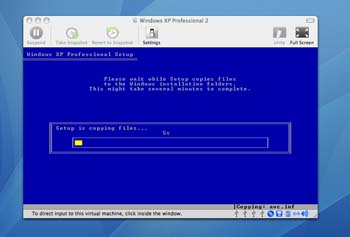
So what does that all mean?
You can install Windows and then run Windows on your Mac as you would run any other program … thus, you can run any Windows programs. Traditionally though, this sort of thing was really slow because translating things real-time took a lot of juice.
But my test have shown that on a moderately powered Mac laptop, Windows installed on VMware Fusion, runs almost at native speed!
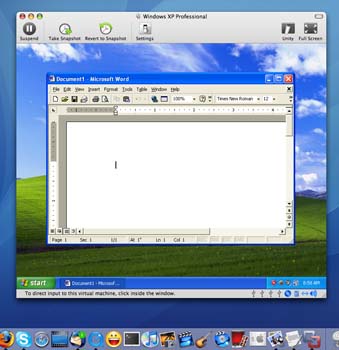
Running Word in XP inside Mac OSX
Videos
I’ve created a couple of videos that demonstrate VMware Fusion:
Thanks for reading,
Stefan Mischook
www.killersites.com


